Repositories
A repository holds your code, its full history, and everything around it — branches, tags, releases, and collaborators.
Create a repository
Use New repository (/new), choose an owner (you or an organization), a name, and a visibility. You can add a description at any time from the repository's Settings.
Public vs private
- Public — anyone can view and clone the repository. It appears on your profile and in Explore.
- Private — only you and the people (or teams) you grant access to can see it. Private repositories count against your plan's private-repository limit.
You can switch a repository between public and private later from Settings.
Browse code, commits, branches and tags
The repository home shows the file tree and the rendered README. Open any file to read it with syntax highlighting, switch branches or tags from the ref picker, and use the Commits view to walk the history. Tags and branches each have their own list.
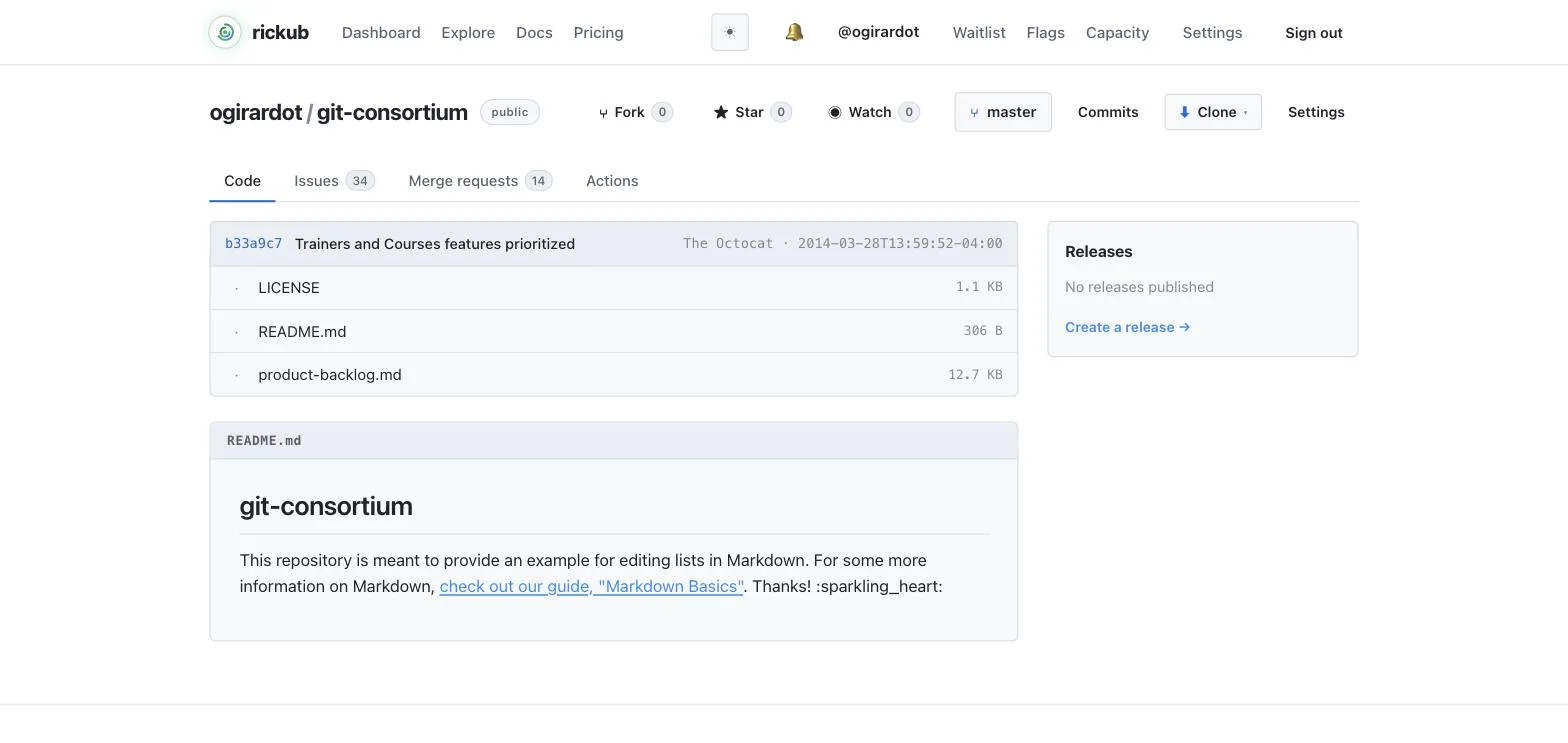
README
A README.md at the root of the default branch is rendered on the repository home. Use it to explain what the project is, how to build it, and how to contribute. Markdown is rendered server-side.
Releases
Cut a release from any tag to give users a stable, named download point. Releases carry a title and notes and are listed on the repository's Releases page. Create the tag with git and publish the release from the UI:
git tag -a v1.0.0 -m "First stable release"
git push origin v1.0.0
Live example: portal's releases — two published releases with notes.
Collaborators
Add people to a repository from Settings → Collaborators. Each collaborator gets a role that controls what they can do — from read-only access up to full admin. For team-wide access, grant the repository to a team instead of adding people one by one.
Repository settings
Settings is where you rename the repository, change its description and visibility, set the default branch, configure branch protection, and manage CI secrets and variables.
Delete a repository
Deleting is permanent. Open Settings → Danger zone, confirm the repository name, and delete. Everything — code, history, merge requests and runs — is removed.
Deletion cannot be undone. Make sure you have a clone of anything you want to keep.