Container registry
Push your container images where your code lives. rickub hosts an OCI registry at registry.rickub.com — docker, podman, buildah, crane, skopeo and oras all work unchanged.
Every namespace — your personal one or an organization's — can store images at registry.rickub.com/<owner>/<name>. Images speak the standard OCI distribution API, so any container client can push and pull without plugins. Registry bytes count against the same pooled storage quota as your git objects and LFS files — one number, no second meter.
Log in
docker login with a personal access token as the password — the username can be anything (convention: your handle). Create a token under Settings → Access tokens first; it's shown exactly once.
docker login registry.rickub.com
# Username: your-handle
# Password: a rickub personal access token (not your account password)
The token's access level is what it is everywhere else: a read/write token can push and pull, a read-only token can pull but every push is denied. If you only ever pull on a machine, give it a read-only token.
Your first push and pull
docker build -t registry.rickub.com/your-handle/api:latest .
docker push  registry.rickub.com/your-handle/api:latest
docker pull  registry.rickub.com/your-handle/api:latest
The first path segment after the host is your namespace (user or org handle); everything below it is yours to choose — including multi-segment names of any depth, which is handy for monorepos:
registry.rickub.com/your-handle/anything/you/like:tag
Names follow the OCI grammar: lowercase letters and digits per segment, separated by ., _ or runs of -; segments joined with /; up to 255 bytes total. Team/API is invalid (uppercase) — team.api.v2 and team/monorepo/api are fine.
Names, bindings and visibility
You pick image names freely — nothing is pre-created, and the first successful push to a new name claims it for your namespace. Names don't have to match any repository: registry.rickub.com/acme/api can live in the repo acme/platform.
Every image is bound to exactly one repository. The binding supplies the permissions, the CI push rights, the UI placement, and the deletion cascade. A push from a repo's CI claims a fresh name for that repo; a push with a PAT and no repo context claims the name as namespace-owned (pullable by namespace members), and moving it to a repo is an explicit rebind by a namespace admin.
Each image then has one of three visibilities, set per image (default private):
- Private — anyone who can read the bound repository can pull. For namespace-owned images: the namespace's members.
- Owner — every member of the namespace can pull. The right level for org-internal shared images like
acme/base. - Public — anyone can pull, anonymously, no login.
Pulls follow the image's visibility, not the repository's settings — a public repo with a private image keeps the image private, and vice versa.
The Registry tab and the Packages page
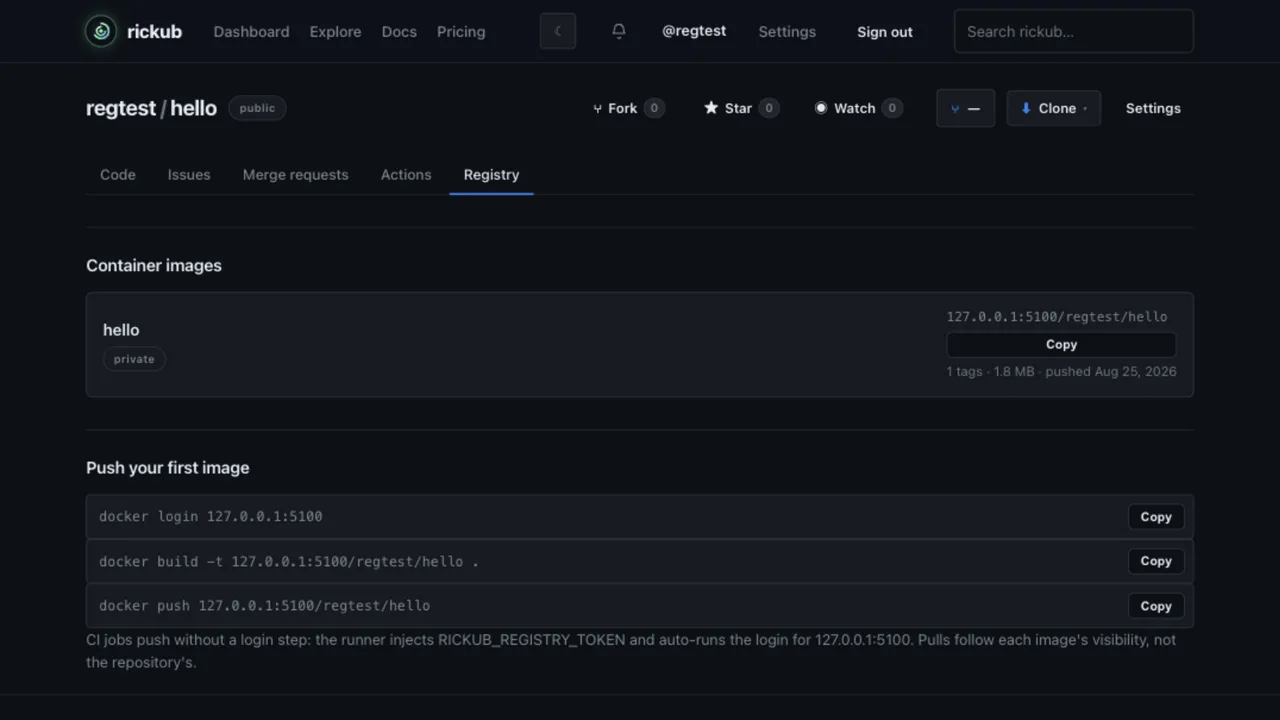
Every repository has a Registry tab listing the images bound to it, with the copy-paste quick-start (login, build, push) pre-filled with the right paths:
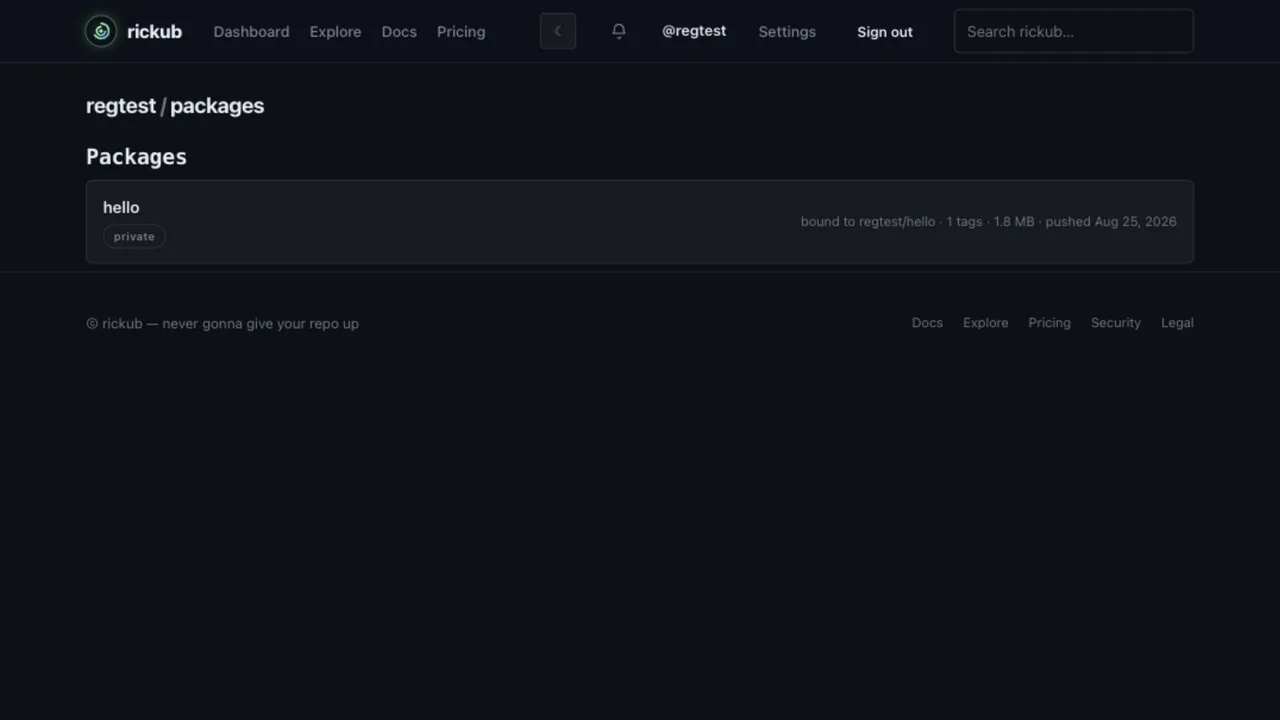
The namespace-level inventory is the Packages page at /{handle}/packages: every image name claimed in the namespace, whichever repo it's bound to. Members see the full list; anonymous visitors see public images only.
Click any image for its detail page — the tag table (tag, digest, size, updated), the pull command with a copy chip, and the Manage section (namespace owner-admins, or admins of the bound repo):
- Visibility — flip between private / owner / public; effective immediately.
- Rename — an explicit catalog move. The old path stops resolving right away, so update your
FROMlines and deploy manifests when you rename. - Rebind — move the image's repo binding to another repo in the same namespace. The destination repo's CI gains push rights; the old one loses them.
- Delete image — removes the whole image, all manifests and tags (typed confirmation required).
- Delete tag — repo writers can remove individual tag pointers from the image page.
Every bind, rebind, rename, visibility change and deletion is audit-logged for organization namespaces — actor, image, old → new.
Pulling
Public images need no login at all: docker pull registry.rickub.com/acme/api:latest just works, for anyone. Private and owner-visible images need the puller to be logged in (see log in) with a token whose owner has the right access.
Deploy tokens for machines
For deploy targets — Kubernetes nodes, servers, downstream mirrors — don't hand out a human's PAT. Mint a dedicated registry token under Settings → Packages (organizations: the org's Settings → Packages). These credentials start with rickub_rt_, are shown once just like PATs, and are pull-only by construction — no registry token can push, ever. Pick one of two pull scopes:
- Whole namespace — pulls every image in your namespace. The common choice for a cluster.
- One image — pinned to a single image name, e.g.
apiorapi/frontend.
docker login registry.rickub.com -u prod-cluster -p rickub_rt_…
# the username is a label for your own bookkeeping — any value works
Each token tracks its last use on the settings page, and can be revoked instantly from there.
In Kubernetes, turn the token into an image pull secret and reference it in your pods:
kubectl create secret docker-registry rickub-registry \
  --docker-server=registry.rickub.com \
  --docker-username=prod-cluster \
  --docker-password=rickub_rt_…
# pod spec
spec:
  imagePullSecrets:
    - name: rickub-registry
  containers:
    - name: api
      image: registry.rickub.com/acme/api:latest
Pushing from CI
No login step, no PAT, no configuration. Every trusted workflow run gets a per-job registry token injected as RICKUB_REGISTRY_TOKEN, the registry host as RICKUB_REGISTRY_HOST, and the job's docker is logged into the registry automatically before any step runs — docker build and docker push just work. The token is masked in logs and expires with the job.
By default the CI token is repo-scoped: it can push names already bound to the repo and pull the repo's own images plus public ones. Two things need an explicit opt-in via the workflow's permissions: block:
permissions: packages: write— lets the job claim new names: the first push ofowner/whateverbinds the name to this repo (one job can claim several, for multi-image monorepo builds).permissions: packages: read— lets the job pull owner-visibility images, like a sharedowner/basebuild image.writeimpliesread.
# .github/workflows/build.yml
name: Build image
on: [push]

jobs:
  build:
    runs-on: ubuntu-latest
    permissions:
      packages: write   # first push of a name claims it for this repo
    steps:
      - uses: actions/checkout@v4
      - run: docker build -t "$RICKUB_REGISTRY_HOST/acme/api:$(git rev-parse --short HEAD)" .
      - run: docker push "$RICKUB_REGISTRY_HOST/acme/api:$(git rev-parse --short HEAD)"
Build tags from $RICKUB_REGISTRY_HOST instead of hardcoding the registry host — it's injected into every job alongside the token.
A workflow in repo A can never push to an image bound to repo B — cross-repo overwrites are structurally impossible, not a settings puzzle. Pushing to another repo's name (or a namespace-owned one) fails with DENIED and the remedy in the message: ask an owner admin to rebind the image (see below), or push under your repo's own name.
Fork pull requests
Jobs triggered by a pull request from a fork get no registry token at all — a fork-scoped credential would assert a namespace the base maintainers never vetted. A fork workflow that needs the registry logs in explicitly with its own PAT (for base-image builds, an explicit docker login step with a fork-side secret is the pattern); base-repo jobs are unaffected.
Tags vs digests
Tags are pointers and move — :latest is whatever was pushed last. The image page shows each tag's digest; pin deployments to the digest (registry.rickub.com/acme/api@sha256:…) when you want exactly the bytes you tested, and keep tags for humans.
Deleting things (and what frees space)
- A tag — from the image page, or
DELETE /v2/<name>/manifests/<tag>: the pointer goes; the manifest and its layers stay (other tags may still use them). - A manifest — by digest, or deleting the whole image in the UI: the manifest and its tags go; its layers become unreferenced.
- The physical bytes — reclaimed by the registry's garbage collector 24 hours after nothing references them. Your quota drops at the sweep, never before: you're not billed for GC lag.
Deleting a blob directly by digest is refused (HTTP 405) while any image in the namespace still references it — layers are shared within a namespace, and deleting shared bytes would break other images. Delete the referencing manifests and let GC collect the bytes.
Storage and quotas
Registry bytes pool with git objects and LFS into your namespace's single plan quota (Free 5 GiB; Team 50 GiB + 10 GiB per seat; Enterprise 250 GiB + 50 GiB per seat). The usage page shows the one number — Storage — git objects + LFS + container registry — under Settings → Usage.
- Shared layers are stored once per namespace and counted once — two images on the same base cost one base.
- Reads are never blocked, whatever your quota state. Only writes are gated.
- On the Free plan, the push that crosses the pool still lands (a 110% grace ceiling); pushes beyond that are refused with a message naming the pool and the upgrade link. Paid plans warn without blocking.
- Public images currently count toward the pool, same as private ones — free unmetered public storage is designed but not live yet.
Free space by deleting images and tags (GC sweeps within 24 h), or upgrade your plan.
Troubleshooting
401 loops at login or push
Docker retries the credential dance forever when the token itself is rejected. The usual culprit is an expired or revoked PAT — mint a fresh one. Also check the token's level: a read-only token pulls fine but every push is denied. And in CI on a fork PR, there is deliberately no registry token — see fork pull requests.
Push refused with 429 "storage quota exceeded"
Your namespace pool (git + LFS + registry) is full. The message names the numbers and the upgrade path:
rickub: storage quota exceeded for acme
using 5.4 GiB of 5.0 GiB (free plan, git + LFS + container registry)
free up space (delete repositories or branches; unreferenced LFS objects are reclaimed automatically; remove images) or upgrade:
  https://rickub.com/acme/settings/billing
(we're never gonna give your data up — reads and pulls still work)
Delete images and tags and let GC sweep, or upgrade — pulls keep working either way.
Push denied: image bound to another repository
push denied: acme/api is bound to another repository in this namespace —
ask an owner admin to rebind it (Settings → Packages)
You pushed a name that already belongs to a different repo (or is namespace-owned). The remedy is in the message: a namespace owner-admin rebinds the image from its Packages page — or push under your own repo's name instead.
Blob delete returns 405 "blob is shared"
Expected, not an outage: the blob is still referenced by manifests in the namespace. Delete the referencing manifests or images; GC reclaims the bytes after the 24-hour window.
Multi-arch images
Multi-platform images (docker buildx --platform) push as an image index with per-platform children and pull correctly per platform. One guard to know: deleting a child manifest while its index still references it is refused — delete the index first, which releases the children to the GC window.
Self-hosting rickub? The registry's operator guide — environment variables, quota plumbing, garbage collection, runbooks — lives in the rickub source tree under docs/registry/operations.md.